Battery Life and All-Day Comfort: The Two Specs Reviews Skip
Smart glasses promise a lot on paper — always-on AI, hands-free cameras, translation on the fly — but most buying guides compare specs without ever explaining why two pairs with identical numbers feel like completely different products on your face. This guide fixes that. We break down exactly what separates a pair of smart glasses you’ll actually wear every day from one that ends up in a drawer after a week, covering battery life, comfort, display tech, AI features, camera quality, privacy, and price — in far more depth than the typical roundup post.
What Are Smart Glasses, Exactly?
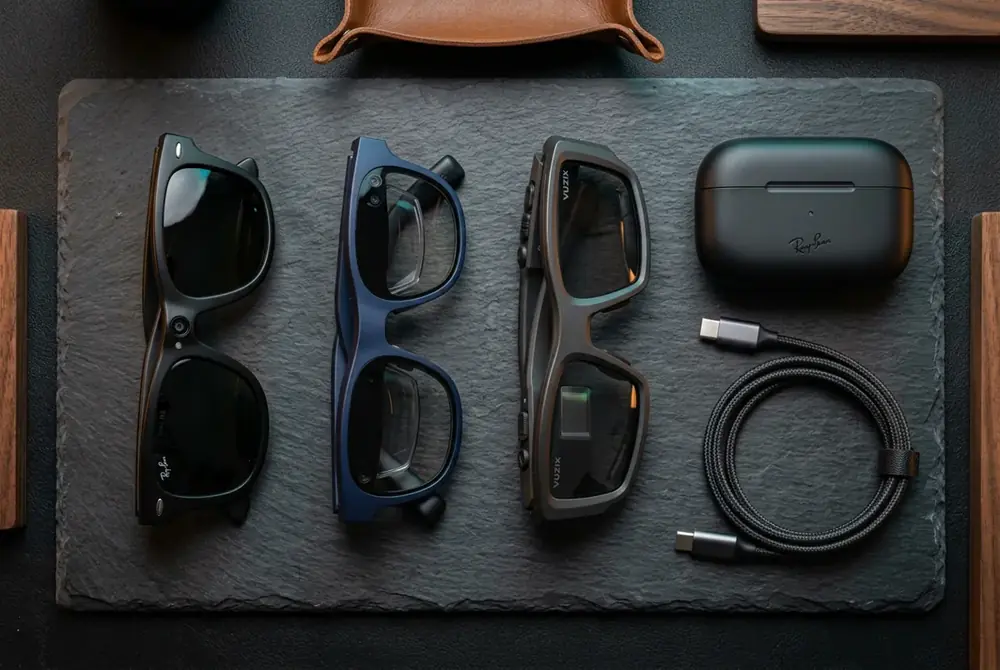
Smart glasses are wearable eyewear that embed electronics — typically a microphone array, speakers, a camera, a battery, and a Bluetooth radio — directly into a normal-looking frame. Some models add a tiny projector or waveguide display (a thin sheet of glass or plastic that bends light into your eye, explained simply as a miniature periscope built into the lens) to overlay information in your field of view. Others skip the display entirely and focus purely on audio and AI voice assistance. According to Wikipedia’s overview of smart glasses, the category has existed in experimental form since the 1990s, but it only became mainstream once batteries and chips shrank enough to fit inside a standard frame width.
In other words, not every pair of smart glasses does the same job. Before comparing specific models, it helps to know which category you actually need — and that decision should drive every other choice you make below.
Smart Glasses Battery Life and Comfort: What Actually Matters
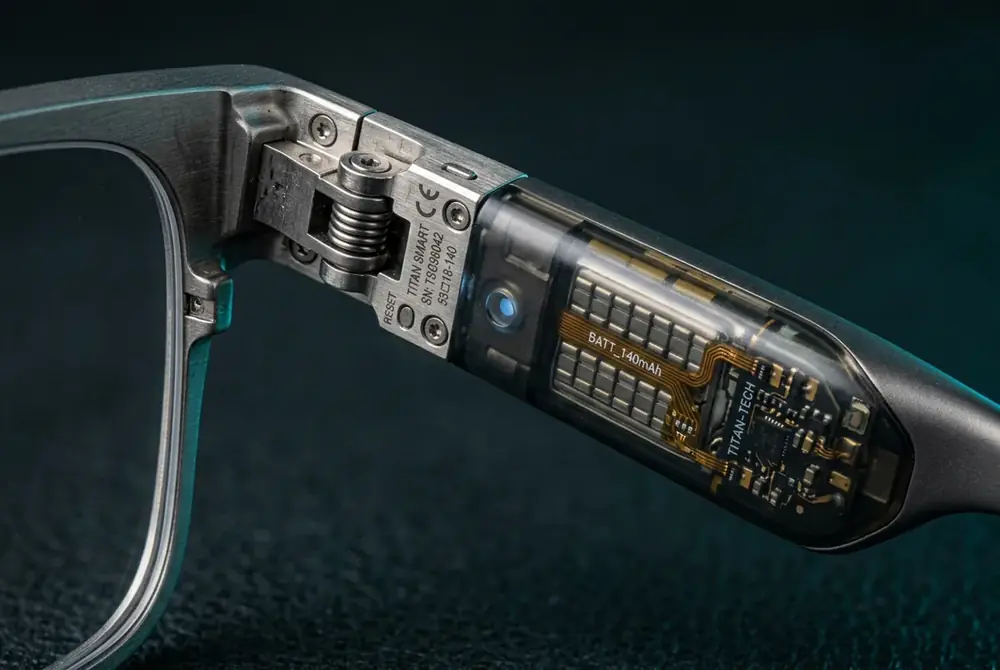
Every pair of smart glasses hides its battery inside the temple arms, the thin sections that rest over your ears. Capacity is physically limited by how much weight your ears and nose will tolerate for hours at a stretch, so manufacturers trade runtime against comfort on every single model they ship. Understanding that trade-off is the single most useful thing you can do before buying.
Why Weight Limits Battery Capacity in Every Frame
A bigger battery means more runtime, but it also means more weight pressing on two tiny contact points — your nose bridge and the tops of your ears. As a result, engineers rarely chase maximum capacity; instead, they chase the largest battery that still feels invisible after three hours. That’s why spec-sheet comparisons that only list “battery capacity” without mentioning frame weight are telling you half the story.
Frame Materials That Buy Back All-Day Comfort
Titanium and magnesium alloy frames buy back part of that weight budget because they’re significantly stronger per gram than standard acetate or plastic. In addition, hypoallergenic silicone nose pads and slightly flexible temple tips spread pressure across a wider area instead of concentrating it on one spot. This is precisely why two frames of identical weight can feel completely different after three hours — the distribution of that weight matters as much as the total number on the spec sheet.
- Titanium frames: lighter per unit of strength, hypoallergenic, slightly more flexible under stress.
- Magnesium alloy frames: even lighter than titanium, but less resistant to repeated bending.
- Standard plastic/acetate frames: cheapest to produce, but heaviest for the same rigidity.
Charging Case Strategy: The Real Fix for All-Day Runtime
Charging strategy matters just as much as raw battery capacity, and this is the part most reviews skip entirely. A case that delivers two to three additional full charges effectively turns a four-hour device into an all-day one, since you simply drop the glasses in your pocket case between meetings. Fast-charge support that returns 50% of battery life in fifteen minutes covers the classic coffee-break top-up, which matters more in daily use than another half-hour of continuous runtime ever will.
The Heat Problem Reviews Never Mention
Watch for heat, too. Frames that run warm against your temples during extended video capture will cut sessions short long before the battery actually runs flat. Reviews rarely mention this because test units are usually worn for minutes, not hours; forum threads and long-term owner discussions, however, bring it up constantly. If you plan to record video regularly, prioritize models with reported thermal management over ones that simply advertise the largest battery.
Related reading: Best AI Smart Glasses in 2026: What Actually Matters Before You Buy
Display Technology in Modern AI Eyewear
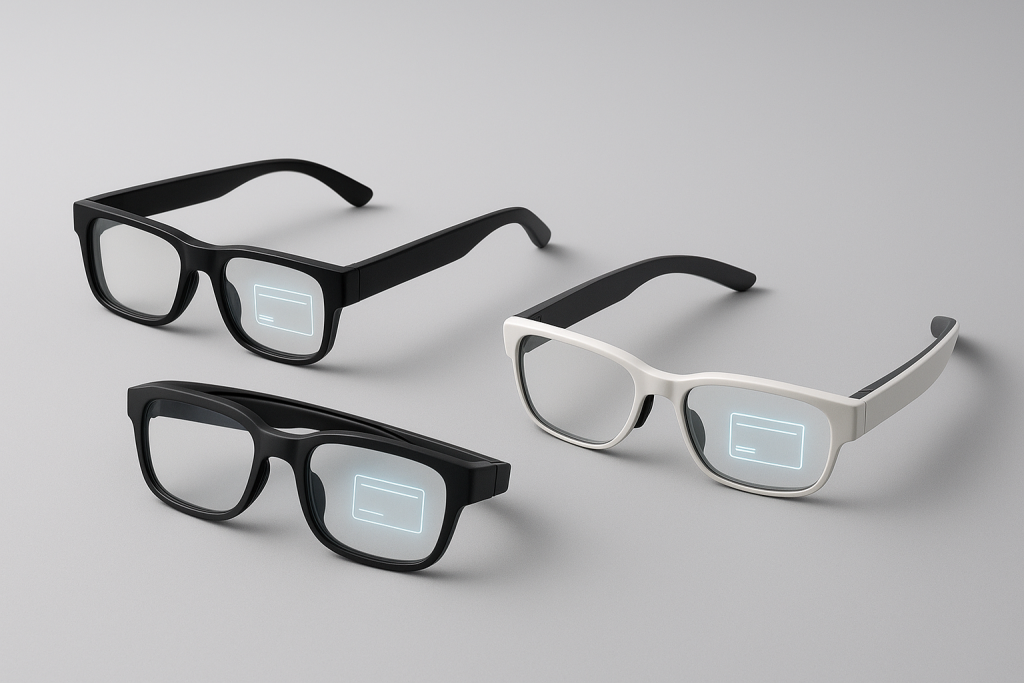
Not every pair of connected glasses puts information in front of your eyes, and that’s a deliberate design choice rather than a limitation. Three display approaches dominate the current market, and each one changes what the glasses are actually good for.
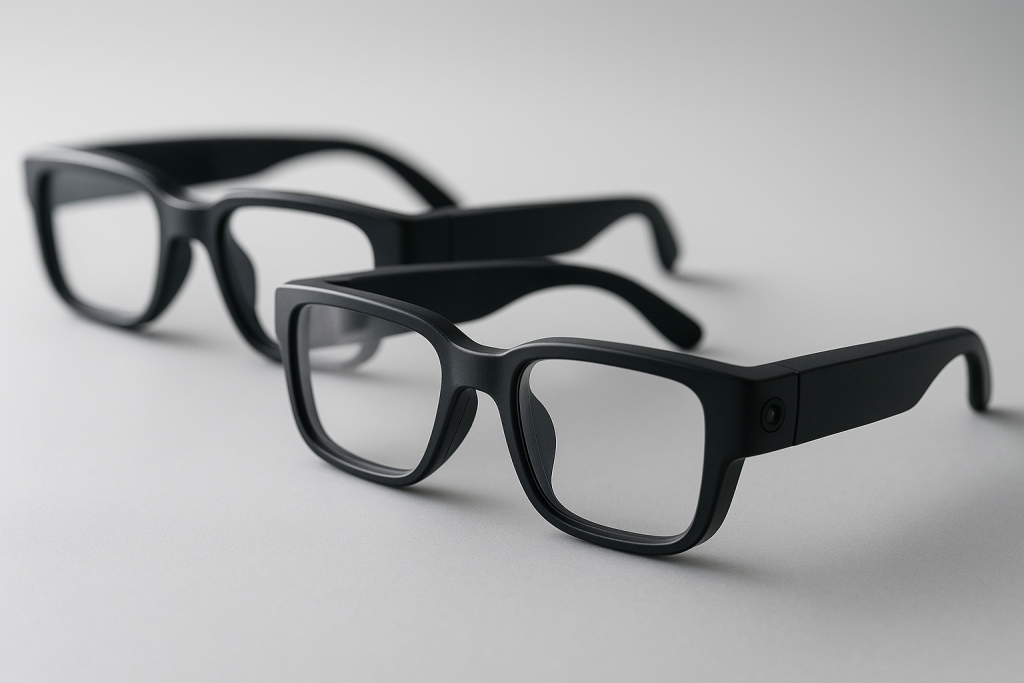
- No display (audio-only): relies purely on bone-conduction or open-ear speakers plus a voice assistant. Lightest option, longest battery life, best for calls, music, and AI queries.
- Monocular HUD: a small, low-resolution display in one lens shows notifications, turn-by-turn directions, or translated captions. Lower power draw than full AR, easier on the eyes for quick glances.
- Binocular waveguide display: projects a full-color image into both lenses for a more immersive experience, but draws significantly more power and adds weight — which loops directly back to the comfort trade-off discussed above.
If your main interest is a heads-up translation overlay or live captions, a monocular display paired with a solid microphone array will serve you far better than a flashy binocular display that drains its battery in ninety minutes.
AI Features That Make Smart Glasses Genuinely Useful
The AI layer is what separates a modern pair of smart glasses from a Bluetooth headset shaped like eyewear. Specifically, look for four capabilities that actually get used day to day rather than demoed once and forgotten:
- Real-time translation and live subtitles — converts spoken language into text or audio almost instantly, useful for travel, meetings, and accessibility.
- Scene description and text reading — narrates what the camera sees or reads printed text aloud, a feature that matters enormously for low-vision users.
- Hands-free voice assistant — handles reminders, navigation prompts, and quick searches without pulling out a phone.
- Object and obstacle recognition — flags hazards or identifies items in frame, increasingly common in navigation-focused models.
For readers specifically researching accessibility use cases, our Assistive AI Vision Glasses are built around exactly this read-recognize-navigate workflow, while our AI Translation Smart Glasses focus on real-time subtitles for travel and multilingual conversations.
Camera and Video Capture Quality
Most smart glasses pack a single wide-angle camera into the front frame, typically between 12 and 32 megapixels for stills and 1080p to 3K for video. However, sensor size matters more than the megapixel number printed on the box — a larger sensor gathers more light, which directly improves low-light footage, something every spec sheet underplays. Furthermore, stabilization quality varies wildly between models; digital stabilization alone tends to crop the frame and introduce warping during fast head movement, while hybrid optical-digital systems hold up far better.
Battery drain during recording is also disproportionate: continuous 1080p capture can consume three to four times the power of standby or music playback, which ties directly back to the heat and charging-case points covered earlier in this guide.
Audio Performance and Open-Ear Sound
Because most smart glasses use open-ear speakers rather than sealed earbuds, audio leakage is a real consideration — in quiet rooms, people near you may hear a faint buzz from your music or calls. In contrast, bone-conduction designs reduce leakage further but sacrifice bass response, which is a reasonable trade-off for anyone who primarily uses voice calls and podcasts rather than music. Microphone array quality also deserves attention: multi-microphone beamforming (a technique that combines several tiny mics to isolate your voice from background noise) noticeably improves call clarity and voice-command accuracy in windy or noisy environments.
Privacy, Recording Indicators, and Etiquette
Because the camera sits at eye level and looks exactly like an ordinary lens, privacy is the single most common objection raised against smart glasses in public settings. Most reputable manufacturers address this with a small LED that lights up whenever recording is active, though critics note these indicators are easy to miss from a distance. As a result, several jurisdictions and private venues now have explicit policies about recording-capable eyewear, so it’s worth checking local guidance before using camera features in sensitive settings. The FTC’s privacy and security guidance is a useful starting point for understanding how recording devices intersect with consumer privacy expectations in the United States.
How Much Do Smart Glasses Cost in 2026?
Pricing generally falls into three tiers, and understanding which tier matches your needs prevents both overspending and disappointment.
- Entry tier (roughly $150–$280): audio-only or basic AI assistant features, limited camera, shorter battery life.
- Mid tier (roughly $280–$450): stronger camera, translation and reading features, better charging case, improved comfort materials.
- Premium tier ($450+): binocular waveguide displays, advanced object recognition, titanium or magnesium alloy frames, and the longest all-day battery strategies.
Well-known mainstream examples like Ray-Ban Meta sit in the mid tier, while display-forward options such as Even Realities G1 and Xreal Air push into premium pricing specifically because of their waveguide optics.
Smart Glasses vs AR Headsets vs Audio-Only Frames
It’s easy to lump every wearable device into one category, but smart glasses, full AR headsets, and audio-only frames solve different problems and shouldn’t be compared on price alone.
- Smart glasses: lightweight, worn all day, modest display or none at all, focused on quick information and hands-free tasks.
- AR headsets: heavier, shorter wear sessions, full-field immersive displays, built for gaming and spatial computing rather than all-day use.
- Audio-only frames: essentially Bluetooth speakers shaped like glasses, longest battery life, no camera or display at all.
How to Choose the Right Pair of Connected Glasses
Rather than comparing spec sheets line by line, follow this sequence to narrow the field quickly and avoid buying features you’ll never use.
- Decide if you need a display. If your priority is translation, navigation prompts, or live captions, a monocular display earns its keep; if you mainly want calls, music, and an AI assistant, skip the display entirely and save battery and weight.
- Set a hard weight ceiling before shopping. Anything under 50 grams is comfortable for most faces across a full day, while heavier frames should be tried on in person whenever possible before you commit to a purchase.
- Check the charging case math, not just the headline runtime. Multiply the glasses’ standalone battery life by the number of case recharges to get a realistic full-day number instead of trusting marketing claims alone.
- Match the AI features to your actual routine. Someone who travels frequently should prioritize real-time translation, while someone focused on accessibility should prioritize scene description and text reading accuracy above all else.
- Confirm materials rated for daily skin contact. Hypoallergenic nose pads and temple tips prevent irritation over months of continuous use, which matters far more than it seems during a five-minute in-store trial.
Our Shortlist Criteria for the Best Smart Glasses
Our shortlist criteria are simple, and every recommendation on this site is measured against them: under 50 grams, at least five hours of mixed use on a single charge, a charging case holding two or more spare charges, and frame materials rated for daily skin contact. Models that fail even one of these four checks get excluded, regardless of how impressive their camera or display specs look on paper.
Real-World Use Cases Worth Paying For
Beyond the spec comparisons, it helps to ground this in everyday scenarios. Business travelers lean heavily on real-time translation during meetings and ordering food abroad. Commuters and cyclists use audio-only frames for turn-by-turn directions without blocking ambient traffic sounds. Low-vision users rely on scene description and text-reading features to navigate unfamiliar spaces independently. Content creators prioritize camera quality and thermal management above all else, since they record for extended stretches. You can browse our full range of everyday AI eyewear to see how these use cases map to specific models, or start from the AI Optical Tech Store homepage for the complete catalog.
Frequently Asked Questions About Smart Glasses
How long does the battery in smart glasses actually last?
Most well-built smart glasses run for four to six hours of mixed use — calls, music, and occasional AI queries — before needing a recharge. Heavy video recording cuts that figure substantially, often to two hours or less, because camera sensors and video processing draw far more power than audio alone.
Are smart glasses safe to wear for prescription correction?
Many manufacturers now offer prescription lens inserts compatible with their frames, so prescription wearers don’t need to choose between vision correction and smart features. Always confirm compatibility with your specific prescription range before ordering, since very strong prescriptions sometimes require thicker lenses that don’t fit every frame.
Do smart glasses work without a smartphone connection?
Most models require a paired smartphone for full AI functionality, translation, and app notifications, since the heavy processing typically happens on the phone rather than inside the glasses. However, basic features like music playback from onboard storage or simple voice commands often work in a limited standalone mode.
Can other people tell when smart glasses are recording?
Reputable models include a small external LED that activates during recording, though it’s genuinely easy to miss from a distance or in bright sunlight. If recording transparency matters to you, look specifically for reviews that test LED visibility in real-world lighting rather than trusting the spec sheet alone.
What is the difference between smart glasses and AR glasses?
Smart glasses are generally lighter, built for all-day wear, and focused on audio, AI assistance, and limited visual overlays. AR glasses, in contrast, prioritize immersive, full-color spatial displays at the cost of weight, heat, and battery life, making them better suited to short sessions of gaming or spatial computing rather than everyday wear.
How do I clean and maintain smart glasses?
Use a microfiber cloth for the lenses and avoid household glass cleaners, since many contain ammonia that can degrade anti-reflective coatings over time. Wipe the nose pads and temple tips with a slightly damp cloth weekly to remove skin oils, which helps both hygiene and the longevity of the silicone material.
Final Verdict: Choosing Smart Glasses That Actually Fit Your Life
Ultimately, the best smart glasses are the ones whose trade-offs match how you actually live, not the pair with the flashiest spec sheet. If you want hands-free translation and reading support, prioritize AI accuracy and display clarity over raw battery numbers. If you mainly want calls, music, and quick AI answers, an audio-only frame under 50 grams with a strong charging case will outperform a heavier display-equipped model for daily comfort. Whichever direction you lean, apply the shortlist criteria covered in this guide — weight, charging case math, material comfort, and realistic AI use cases — before comparing any two pairs of smart glasses side by side. Do that, and you’ll end up with a pair you actually keep wearing past the first week.
Ready to compare frames?
Every listing links straight to Amazon, eBay and AliExpress for live pricing.
Browse the shop