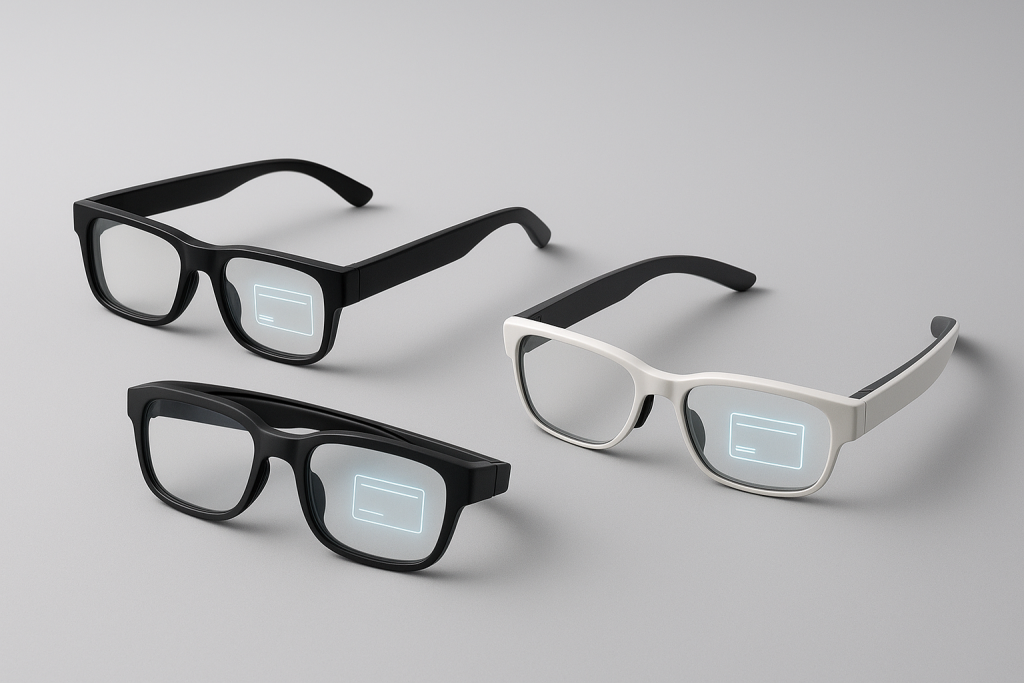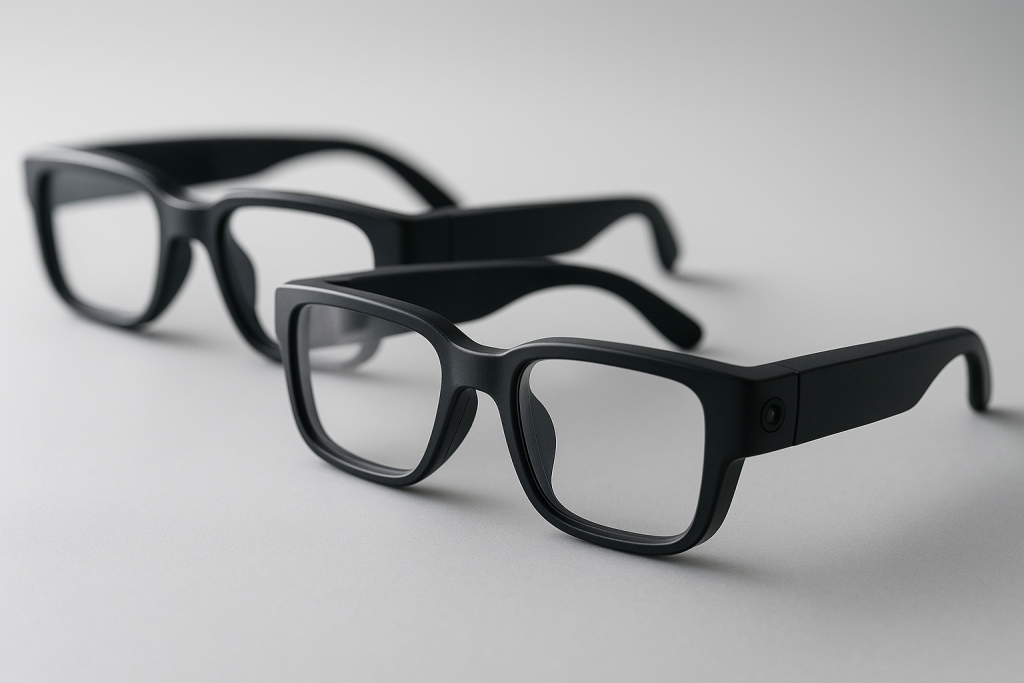
Meta Ray-Ban Style AI Glasses vs. AR Display Glasses
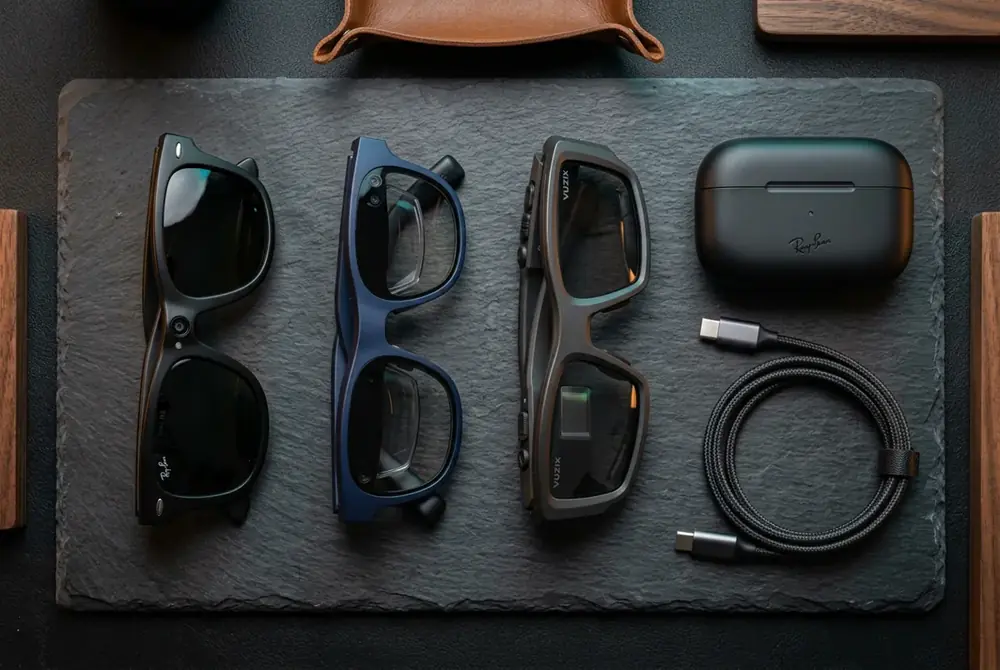
AI eyewear has quickly split into three very different product categories, and picking the wrong one is the single biggest mistake first-time buyers make. Some frames simply record video and answer questions out loud. Others beam a private screen just in front of your eyes. A growing middle tier splits the difference with a simple heads-up display. Before you spend anywhere from $200 to $700, it helps to know exactly which tier matches how you actually plan to use your glasses — and that is exactly what this guide breaks down, tier by tier, spec by spec.
What Is AI Eyewear, Exactly?
AI eyewear is a pair of glasses with an onboard microphone, speaker, and usually a camera, all connected to a voice assistant that can see and hear what you do. Unlike older smart glasses, which mostly streamed Bluetooth audio or counted steps, today’s AI eyewear can describe a scene, translate a menu, answer a trivia question, or log a hands-free photo — all without you touching a phone. In addition, some models go further and project a visual display directly into your field of view, turning the glasses into a tiny, wearable computer screen.
That distinction — assistant-only versus assistant-plus-display — is the single most important thing to understand before you shop. Consequently, the rest of this guide is organized around it.
The Three Tiers of Smart Glasses Powered by AI
Every current product on the market fits into one of three tiers. Understanding where a pair of glasses sits tells you almost everything about its price, weight, and battery life before you even read the spec sheet.
Tier 1 — Camera-and-Assistant AI Glasses
Meta-style AI eyewear — the classic Wayfarer and aviator silhouettes with a corner camera — is built around capture and conversation. There is no screen at all. You talk to an assistant, it answers through open-ear speakers, and the camera handles photos, video, and visual questions about what you are looking at. Because the optics are simple, these frames are lighter, cheaper, and look almost identical to normal sunglasses. For a closer look at the audio side of this tier, browse our audio-first AI eyewear collection.
Tier 2 — AR Waveguide Display Glasses
AR waveguide display glasses take the opposite approach. Micro-OLED engines bounce light through etched optical waveguides — a technology that channels light through glass the way a pipe channels water — to float a bright, private screen a couple of metres in front of you. This is great for navigation arrows, live captions, teleprompting, and watching a film on a plane. In contrast to Tier 1, these frames are heavier, pricier, and shorter on battery life because driving a display takes far more power than driving a speaker.
Related reading: AR Waveguide Display Glasses — Heads-Up Everything
Tier 3 — HUD Hybrid Smart Eyewear
A growing middle tier adds a small monochrome HUD (heads-up display) to lightweight frames — enough for turn-by-turn directions, pace data, and notifications without the bulk of full AR optics. For most buyers, this is the sweet spot in 2026: you get glanceable information without the weight, heat, or price of a full waveguide display. Runners, cyclists, and commuters tend to gravitate here first.
AI Eyewear vs. Classic Smart Glasses: What Actually Changed
Older smart glasses were essentially Bluetooth headphones shaped like sunglasses. They played music and took calls, nothing more. AI eyewear, however, adds a layer of understanding: it listens, interprets, and responds using a large language model running either on the device or on a paired phone app. As a result, the same pair of glasses can now act as a translator, a note-taker, a fitness coach, or a hands-free photographer, depending entirely on which app or assistant it is paired with.
Above all, this is why shoppers should stop asking “which smart glasses are best” and start asking “which AI eyewear tier fits my day.” The two questions sound similar, but they lead to completely different purchases.
How AI Eyewear Works Under the Hood
Most AI eyewear follows the same basic pipeline. First, a wake word or button press activates the microphone array. Then, your voice (and, in camera models, a video frame) is sent to an onboard chip or a paired phone over Bluetooth. The assistant processes the request — often using cloud AI for anything complex — and sends a spoken or visual answer back within a second or two. Specifically, the differences between brands usually come down to three things: how fast that round trip is, how natural the voice sounds, and how much processing happens on-device versus in the cloud, which also affects privacy.
Key Specs to Compare Before Buying AI Glasses
Before adding anything to a cart, compare these specs side by side. In particular, battery life and weight tend to matter more day-to-day than headline camera megapixels.
- Battery life: Tier 1 glasses typically run 4–8 hours of mixed use; display models often drop to 2–4 hours under active use.
- Weight: anything under 45 grams feels close to normal sunglasses; display models often exceed 55–70 grams.
- Camera resolution: 12MP is now the common baseline for photo capture; video is usually capped at 1080p to save battery.
- Voice assistant compatibility: check whether the glasses pair with your existing phone’s assistant or require a proprietary app.
- Privacy indicator: a visible LED that lights up while recording is now considered a baseline requirement, not a bonus feature.
- Water and sweat resistance: look for at least an IPX4 rating if you plan to wear your AI eyewear while exercising.
Real-World Use Cases for AI Eyewear
Rather than thinking in specs alone, it helps to match AI eyewear to how you actually spend your day. For example:
- Hands-free content creation: Tier 1 camera-and-assistant frames are ideal for creators recording POV video without holding a phone.
- Navigation and travel: Tier 2 or Tier 3 glasses that overlay turn-by-turn arrows reduce the need to glance at a phone in traffic.
- Accessibility: live captioning on display models can help people who are hard of hearing follow conversations in real time.
- Sport and fitness: lightweight HUD glasses showing pace, heart rate, and distance suit runners and cyclists especially well — see our sport and outdoor AI eyewear picks.
- Everyday productivity: quick reminders, message previews, and voice dictation suit anyone who wants fewer phone pickups — browse everyday AI eyewear picks for this use case.
What Does AI Eyewear Cost in 2026?
Price generally tracks the tier. Camera-and-assistant AI eyewear typically runs $200–$350. HUD hybrid frames sit in the $300–$500 range because of the added display hardware. Full AR waveguide display glasses, meanwhile, run $450–$700 and up, reflecting the cost of micro-OLED projectors and precision-etched lenses. Therefore, if budget is your main constraint, Tier 1 remains the most accessible entry point into AI eyewear without compromising on core assistant features.
Our shop carries all three tiers, and every listing links straight to Amazon, eBay, and AliExpress so you can compare live pricing before you commit. You can start browsing the full AI eyewear shop at any time.
Can You Wear Smart Glasses With a Prescription?
Yes, in most cases. Many AI eyewear brands sell prescription lens inserts or clip-on adapters that fit behind the display or camera module without blocking the sensors. However, not every frame supports this, so it is worth checking lens compatibility before buying if you need vision correction. Our hardware add-ons section lists lens inserts and adapters that work across several popular frames.
Privacy and Etiquette: Using AI Eyewear Responsibly
Because camera-equipped AI eyewear can record without obviously looking like a camera, privacy concerns are real and worth taking seriously. Always keep the recording indicator LED visible and avoid filming people without their knowledge, particularly in places where recording laws apply. The Federal Trade Commission’s consumer privacy guidance is a useful starting point for understanding your obligations when recording others. In addition, many venues — gyms, theaters, courtrooms — now explicitly restrict recording devices, so check local policy before wearing camera-enabled AI eyewear inside.
How to Choose the Right AI Eyewear for You
Follow these five steps in order, and you will land on the right tier within minutes rather than weeks of research.
- Define your primary use case. Decide whether you mainly want hands-free capture and voice answers, a visual overlay for navigation, or quick glanceable notifications during sport and travel.
- Set a realistic budget tier. Match your spending limit to one of the three categories above, since trying to find waveguide display features at a camera-only price point will only lead to disappointment.
- Check device and prescription compatibility. Confirm the glasses pair with your phone’s operating system and verify whether prescription lens inserts are available if you need vision correction.
- Compare battery life and weight specs. Prioritize frames under 50 grams with at least 4 hours of mixed-use battery life if you plan to wear them for most of your waking day.
- Compare live prices before buying. Check the same model across Amazon, eBay, and AliExpress listings to confirm you are getting the best available price before checkout.
Related reading: Best AI Smart Glasses in 2026: What Actually Matters Before You Buy
Frequently Asked Questions About AI Eyewear
What is AI eyewear and how does it differ from regular glasses?
AI eyewear is a pair of glasses built with a microphone, speaker, and often a camera, all connected to a voice assistant. Unlike regular glasses, it can answer questions, translate speech, and capture photos or video hands-free.
Do all AI eyewear models have a screen?
No. Tier 1 camera-and-assistant frames have no screen at all. Only Tier 2 AR waveguide glasses and Tier 3 HUD hybrids display visual information in front of your eyes.
How long does AI eyewear battery last?
Most camera-and-assistant frames last 4–8 hours of mixed use, while display-equipped models typically run 2–4 hours under active use because driving a screen consumes more power.
Can I wear AI eyewear if I need prescription lenses?
Yes, many brands offer prescription lens inserts or clip-on adapters. Always confirm lens compatibility with a specific frame before purchasing if you require vision correction.
Is it safe and legal to record video with AI eyewear?
It depends on local laws and venue policy. Keep the recording indicator LED visible, avoid filming people without consent, and check the Federal Trade Commission’s consumer privacy guidance for general best practices.
How much does AI eyewear cost in 2026?
Prices range from roughly $200 for basic camera-and-assistant models to $700 and up for full AR waveguide display glasses, with HUD hybrid frames falling in between at $300–$500.
The Bottom Line on AI Eyewear
Choosing the right AI eyewear comes down to one decision: do you want capture and conversation, or do you want information floating in front of your eyes? If you mainly want to record life hands-free and ask questions out loud, camera-and-assistant frames win on price, weight, and looks. If you want navigation, captions, or notifications rendered visually, a HUD hybrid or full AR waveguide display model is worth the extra cost and weight. Either way, compare specs carefully, check prescription compatibility, and always shop live prices across multiple marketplaces before you commit to a pair of AI eyewear.
Ready to compare frames?
Every listing links straight to Amazon, eBay and AliExpress for live pricing.
Browse the shop